









Book a demo

ProManage - Project Management System
Unlimited users
Unlimited transactions
Fully customisable
Full source code
AI agents — FREE
Suite integration
ProManage by Royex - Custom Project Management System
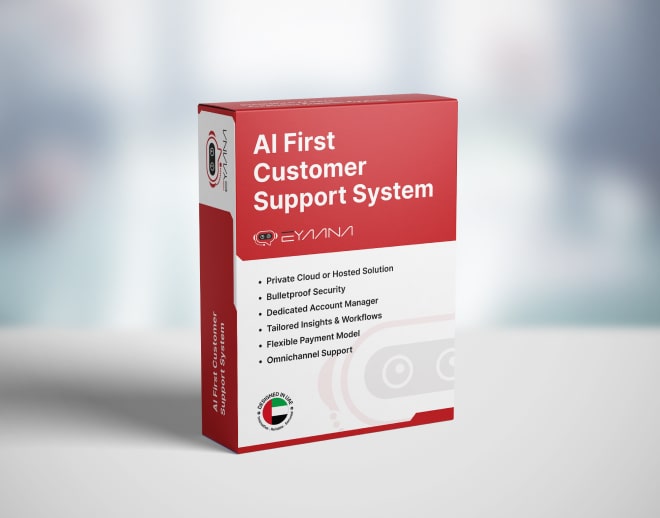
Agentic AI That Drives Your Projects Forward
ProManage by Royex is a custom project management system powered by agentic AI, designed to actively assist your team rather than just track tasks. From automatically prioritizing work based on deadlines and dependencies to suggesting resource allocations and flagging potential bottlenecks, ProManage acts like a smart project coordinator embedded into your workflow. It helps teams stay on schedule, ensures nothing slips through the cracks, and provides actionable insights so managers can make data-driven decisions with confidence.

Streamline Collaboration, Boost Productivity, and Deliver On Time
Beyond AI, ProManage centralizes all your project information in one platform — tasks, timelines, files, and communication. Teams can collaborate seamlessly, track progress visually with Kanban or Gantt views, and measure performance against goals. Whether you’re managing internal projects, client deliverables, or cross-departmental initiatives, ProManage provides clarity, accountability, and efficiency, helping teams deliver projects faster and with higher quality.
FlowMaster
Orchestrates entire project workflows from planning to delivery, automatically structuring tasks, timelines, and dependencies based on project goals. It ensures every project starts with clarity and stays on track without manual setup.
TaskPilot
Manages daily execution by assigning tasks, setting priorities, and tracking progress across teams. It dynamically adjusts workloads and deadlines based on real-time updates to keep projects moving efficiently.
RiskRadar
Continuously scans projects to detect delays, bottlenecks, and resource conflicts before they escalate. It highlights potential risks early and recommends corrective actions to keep timelines and budgets intact.
ResourceSync
Optimizes team allocation by analyzing availability, skill sets, and workload distribution. It ensures the right people are assigned to the right tasks while preventing burnout and underutilization.
InsightBoard
Transforms project data into clear, real-time dashboards and reports, giving stakeholders full visibility into progress, performance, and outcomes. It enables faster, data-driven decision-making at every level.
ClientBridge
Enhances client collaboration by managing updates, feedback, approvals, and communication in one place. It keeps clients aligned with project progress while reducing back-and-forth and miscommunication.

Development Project Module
The Development Project module allows you to manage the complete lifecycle of software or IT development projects from kick-off to deployment.
Project Setup
• Link each project to a client from your client database
• Define project start date, development period, and estimated finish date
• Assign a dedicated Project Manager responsible for oversight and approvals
• Assign a Lead Developer who oversees the technical execution
• Classify projects as Ongoing (active development) or Legacy (completed, archived for reference)
Stage Management
Every development project progresses through a standard set of stages that can be customized to match your process. The default stages are:
• Kickoff — initial meeting, requirements gathering, scope definition
• Designing — UI/UX wireframes, prototypes, and design specifications
• Design Approval — client review and sign-off on designs
• Development — core coding and feature build phase
• Demo Presentation — internal or client-facing demo of the working build
• Final Development — bug fixes, revisions based on demo feedback
• Deployment — live launch, server setup, and handover

AMC Project Module
The AMC module manages ongoing maintenance relationships with clients after project delivery.
AMC Setup
• Link the AMC to both a client record and an existing development project
• Define the total available hours in the support pool (e.g. 20 hours/month)
• Assign an AMC Coordinator — responsible for managing the client relationship and issue intake
• Assign a Developer — responsible for resolving the issues raised
Issue & Hour Tracking
• Every issue raised by the client becomes a task in the AMC project
• When a developer logs time on an AMC task, those hours are automatically deducted from the pool
• Real-time visibility into how many hours have been consumed and how many remain
• Track how many issues have been raised, resolved, and are pending
• Measure average resolution time per issue to identify bottlenecks

Time Tracking
ProManage includes a built-in time tracking system that ties directly to tasks.
Task-Based Timer
• Developer opens a task and clicks Start Timer — a clock begins running
• If interrupted, they click Pause — the session is saved without losing any logged time
• At end of day, the developer clicks Stop — the session is committed to the task record
• The next morning, the developer opens the same task and clicks Resume — time accumulates across multiple sessions seamlessly
• Multiple sessions on the same task across multiple days are aggregated into a single total time for that task
Developer Daily Activity Log
• Managers can see, for any developer on any day, exactly which tasks they worked on and for how long
• No manual timesheet submission required — the data is captured automatically through the timer
• Late clock-ins, gaps in the day, and idle time become visible naturally

Task Management
Any user — Admin, Project Manager, or Developer — can create a task within any project or AMC.
Task Creation & Assignment
• Task title and detailed description
• Priority level — High, Medium, Low
• Due date and estimated hours
• Assignment to one or multiple team members simultaneously
• Association with a specific project or AMC
• File and image attachments for reference materials
Task Execution & Submission
Developers work on their assigned tasks and submit them for review when complete. The submission process captures proof of completion and provides context for the reviewer.
• Developer marks task as complete and submits with a written comment explaining what was done
• One or more images or screenshots can be attached to the submission as evidence
• Submitted tasks move automatically to the Project Manager's approval queue
• The developer's task list updates to reflect the pending review status
Task Approval Workflow
Project Managers have complete authority over task approval. Every submitted task goes through a formal review before being closed.
• Project Manager receives a notification and sees the task in their approval dashboard
• PM reviews the submission — the comment, attachments, and time logged
• Approve — task is marked complete and removed from the active queue
• Reject & Reassign — PM adds review notes and sends the task back to the developer with specific feedback
• All approval actions are timestamped and recorded in the task history
Do you want to see a demo?
Just fix a time with us and we will be happy to show you the demo
YES,I WANT TOWe Love Our Clients












Blogs & news

Selling Online in the UAE in 2026: Noon vs. Amazon vs. Your Own Store — Which Makes You More Money?
There is a question that comes up in almost every conversation we have with UAE sellers planning to launch online. It usually sounds something like t...
Know More
The Generic SaaS Era Is Ending. The Age of Workflow-Native, AI-Composed Software Has Begun.
The generic, horizontal, seat-priced SaaS model that defined the 2010s is being quietly replaced by something new: workflow-native software, composed...
Know More
If AI Is Taking Care of Software Development, Testing, and Security — What Will Developers Actually Do?
For the first time since the profession existed, the core artifacts a developer produces — code, test suites, security checks — can be generated by a...
Know More
The $200 Billion Question: What Happens to TCS, Infosys and Wipro When Code Becomes Free?
The $200 billion question is not whether AI will disrupt Indian IT services. It already is. The question is whether the industry can reinvent itself ...
Know More
The Seat Is Dead: Why Every SaaS Pricing Page Built Before 2024 Is Already Losing You Money
Per-seat pricing is not dying because it was a bad model. It was a great model. It is dying because the thing it measured — humans doing work in soft...
Know More