









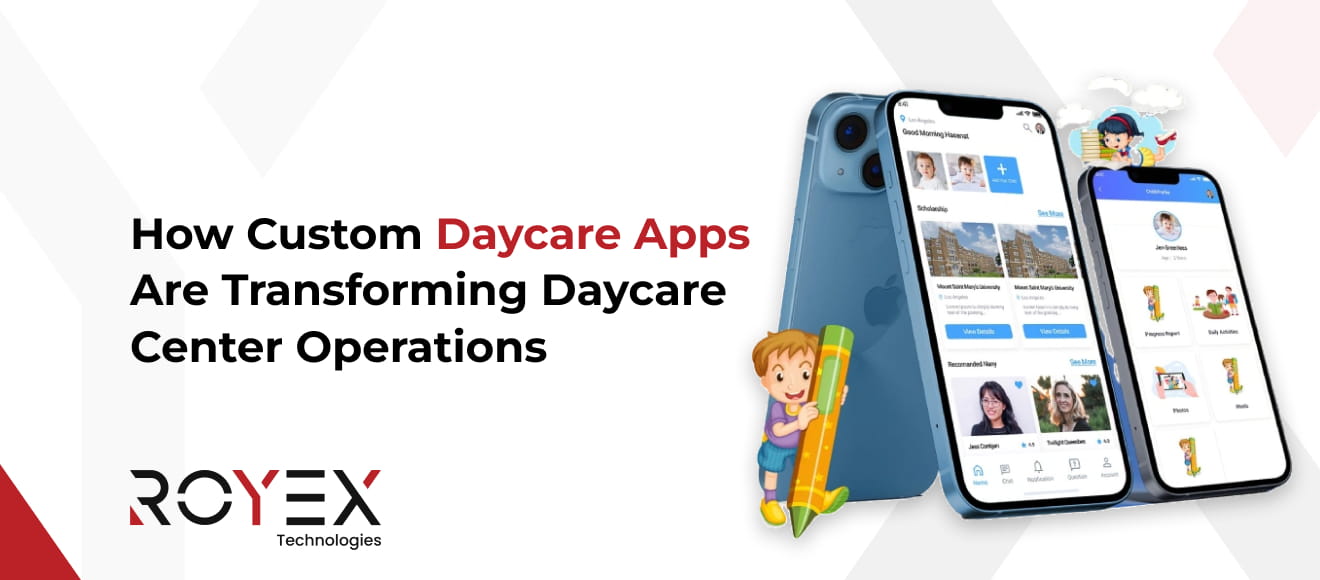
How Custom Daycare Apps Are Transforming Daycare Center Operations
Running a daycare center is no easy task. Anyone close to this space knows it. There are children to care for, parents to reassure, staff to manage, schedules to track, meals to plan, and safety to ensure at every moment. On top of all this, paperwork never seems to end. Now imagine handling all of that without stress. Imagine everything working together smoothly. This is where technology quietly steps in and changes the game. Not with complexity, but with simplicity.
Custom mobile apps are transforming the way daycare centers operate. They are not just tools. They are becoming daily companions for owners, teachers, and parents alike. In cities where innovation moves quickly, many centers partner with a mobile app development company in Dubai to develop custom apps instead of adapting to one-size-fits-all software. Let’s explore why this is important. And most importantly, let us discuss how it improves life for everyone involved.
Key Daycare Operational Challenges and the Technology Behind Their Solutions
1. The Morning Rush and Attendance Confusion
Every daycare morning starts the same way. Doors open. Parents hurry in with sleepy children. Bags are handed over. Quick updates are shared. Someone is crying. Someone is laughing. In all this movement, attendance often becomes messy. A child arrives, but their name hasn’t been marked yet. Another one is marked present but never came. A parent informs one teacher about a late pickup, but the information is not shared with others. By the time the room settles, staff are already unsure who is officially there. This confusion creates stress. It also raises safety concerns. When you care for children, even one small mistake feels heavy.
How Technology Helps
This is where simple digital tools quietly make a big difference. A digital check-in system allows parents to record their arrival instantly with a single tap. No guessing. No rushing to write names on paper. Teachers see updates in real time. Attendance lists stay accurate all day. Some systems send automatic alerts when a child arrives or leaves, so everyone stays informed. Morning chaos does not disappear, but it becomes manageable. Staff can focus on welcoming children instead of fixing attendance errors. The room feels calmer. The day starts better for everyone.
2. Staff Scheduling That Never Feels Right
Staff scheduling is one of the hardest parts of daycare management. Teachers get sick. Someone needs a day off. Another person arrives late. Ratios must be maintained at all times. There is no flexibility here. One mistake can lead to a violation. Many directors still use spreadsheets or paper schedules. They update them weekly. Sometimes daily. When something changes, it creates a chain reaction. Calling staff. Texting. Rewriting schedules. Checking ratios again and again. It takes time. It drains energy. It pulls focus away from children.
How Technology Helps
Scheduling software designed for daycare understands ratios. It knows how many children are present. It shows how many staff are needed at any moment. When someone calls in sick, the system shows the gap instantly. It helps find a replacement. It updates ratios in real time. Staff can view schedules on their phones. They get notified about changes. No confusion. No last-minute panic. The director gains control. The team feels supported.
3. Parent Communication That Never Ends
Parents care deeply about their children. As they should. But communication can become overwhelming. Messages come through every channel. Phone calls. Texts. Emails. Notes in bags. Questions at pickup time. Did my child eat lunch? Did she nap? Why is he upset today? Can I pay late? What time is the field trip? Answering the same questions again and again takes time. And when messages get missed, trust suffers.
How Technology Helps
Parent communication apps bring everything into one place. Daily updates are shared automatically. Meals. Naps. Activities. Photos. Parents feel connected without asking. Announcements go to everyone at once. No repeating. No forgotten notes. Messages are organized by child and family, making communication easier to manage. Staff can reply when they have time. Not while supervising children. Parents feel informed. Staff feel less pressure. Communication becomes calm and clear.
4. Billing and Payments That Cause Tension
Money conversations are uncomfortable. Especially in childcare. Late payments happen. Confusion about fees happens. Discounts. Sibling rates. Extra hours. Holidays. When billing is done manually, errors are common. An invoice goes out wrong. A payment is missed. A parent feels frustrated. Chasing payments takes time and emotional energy. It can strain relationships.
How Technology Helps
Automated billing systems handle this quietly. Invoices are created based on attendance and enrollment. Payments can be set up automatically. Parents pay online at their convenience. Reminders go out without awkward conversations. Records are clear. Everyone can see what was paid and when. Financial stress decreases. Cash flow becomes stable. Trust improves.
5. Enrollment Management That Feels Like a Puzzle
Enrollment is not just filling spots. It is managing ages. Ratios. Classrooms. Waitlists. Paper enrollment forms are long. Parents forget fields. Documents go missing. Staff have to re-enter data again and again. Tracking availability becomes hard. Especially when families change schedules or leave unexpectedly.
How Technology Helps
Online enrollment forms simplify everything. Parents complete forms at home. Data goes straight into the system. No retyping. No lost papers. Waitlists are tracked automatically. When a spot opens, families are notified. Enrollment becomes organized. Decisions become easier. Growth becomes manageable.
6. Licensing and Compliance Pressure
Compliance is always there. Watching. Waiting. Regulations change. Inspection dates arrive. Records must be perfect. Staff certifications. Background checks. Training hours. Child records. Incident reports. Keeping all this on paper is risky. One missing document can cause serious trouble.
How Technology Helps
Compliance tools store everything securely. Staff records are tracked. Expiration dates trigger reminders. Training hours are logged automatically. Child records are organized and accessible. Reports can be generated quickly for inspections. Instead of fear, there is confidence. Instead of scrambling, there is readiness.
7. Daily Reports That Take Too Long
Teachers already work hard. Providing care for children throughout the day is a demanding task. Then comes documentation. Writing daily reports. Logging meals. Naps. Diapers. Notes. Doing this on paper takes time. Doing it at the end of the day feels exhausting. Sometimes details get forgotten.
How Technology Helps
Mobile apps allow teachers to log activities as they happen. One tap records a meal. Another logs a nap. Photos are added easily. Reports are created automatically. Parents receive them instantly. Teachers spend less time writing and more time engaging with children.
8. Child Safety and Emergency Preparedness
Safety is not negotiable. Knowing who is in the building. Who picked up which child? Who is authorized? In emergencies, seconds matter. Paper records are slow.
How Technology Helps
Digital systems track real-time attendance. Pickup authorization is clear. Emergency contacts are instantly accessible. Some systems include messaging tools for emergencies. Parents are notified quickly. Preparedness improves. Anxiety decreases.
9. Data Overload Without Insight
Daycare centers collect a lot of information. Attendance. Payments. Staff hours. Enrollment trends. But data alone is useless if it cannot be understood. Many directors rely on gut feeling instead of clear insight.
How Technology Helps
Dashboards present information simply. You can see patterns. Busy days. Staffing needs. Financial health. Decisions become informed. Planning becomes easier.
10. Staff Burnout and Retention Issues
Childcare is emotional work. Burnout is real. When staff feel overwhelmed by paperwork and chaos, morale drops. Turnover rises. Replacing staff is costly. Training takes time.
How Technology Helps
When systems remove friction, work feels lighter. Schedules are clear. Communication is smooth. Tasks are manageable. Staff feel supported. Retention improves.
How the Right Daycare App Helps Providers Handle Challenges
Running a daycare is not just about caring for children. It is about juggling a hundred small things at the same time. One child is crying. A parent is calling. A staff member needs help. Paperwork is waiting. And the day has just started. Many daycare providers feel stretched every single day. This is where the right daycare app quietly steps in and changes how everything feels.
1. The Daily Chaos of Information
In most daycare centers, information comes from everywhere. Notes on paper. Messages on phones. Verbal reminders. Emails. It is easy to miss something important. Overlooking an allergy note or a scheduled pickup can escalate into serious issues rapidly. A daycare app brings all this information into one place. Child profiles hold allergies, routines, and special notes. Messages live in one inbox. Updates are logged in real time. Providers no longer need to remember everything. All they need to do is check the app and move forward confidently. This alone removes a huge mental load.
2. Clear Communication with Parents
Parents want to know how their child is doing. They ask about meals, naps, mood, and learning activities. Answering the same questions again and again takes time. It also pulls attention away from the children. A daycare app makes communication smooth and calm. Providers can share updates once and reach all parents. Photos, short notes, and daily reports tell the story of the child’s day. Parents feel connected without constant calls or messages. This builds trust. When parents trust you, conversations become easier and more positive.
3. Managing Attendance Without Confusion
Tracking attendance sounds simple, but it rarely is. Late arrivals. Early pickups. Absences. Staff changes. Manual tracking often leads to mistakes and stress at the end of the day. The right daycare app allows attendance to be tracked quickly and efficiently with a few taps. Check-in and check-out times are saved automatically. Providers see who is present at a glance. This helps with safety, staffing decisions, and planning activities. It also helps during inspections or audits. Everything is already documented.
4. Staff Coordination Made Easier
Daycare teams work best when everyone knows their role. But verbal instructions get lost. Shift changes confuse. New staff need guidance. A daycare app streamlines staff coordination efficiently. Schedules are clear. Tasks are visible. Notes can be shared between team members. Everyone stays aligned without long meetings or repeated explanations. When staff feel organized, they feel calmer. And calm caregivers create a better environment for children.
5. Handling Paperwork Without Drowning in It
Paperwork is one of the biggest pain points for daycare providers. Enrollment forms. Consent slips. Incident reports. Billing records. It piles up fast. A daycare app reduces this burden. Forms can be filled out and stored digitally. Records are easy to find. Updates are logged automatically. Providers spend less time filing papers and more time with children. This also lowers the risk of losing important documents.
6. Billing and Payments Without Awkward Moments
Talking about money can feel uncomfortable. Chasing late payments takes time and energy. Manual billing often leads to errors and misunderstandings. A good daycare app handles billing clearly. Invoices are generated automatically. Payment reminders go out gently. Parents can pay online with ease. This creates transparency. Providers get paid on time. Parents know exactly what they are paying for. The relationship stays professional and stress-free.
7. Supporting Child Safety Every Day
Safety is always the top priority in daycare. But managing safety protocols manually is hard. Emergency contacts. Pickup permissions. Incident tracking. It all needs accuracy. A daycare app keeps safety information updated and accessible. Providers know who is authorized to pick up a child. Emergency contacts are one tap away. All incidents are documented accurately and communicated to parents when necessary. This gives providers peace of mind. They know they are prepared for unexpected moments.
8. Saving Time Without Cutting Corners
Many providers are concerned that adopting technology may introduce complexity. The right daycare app does the opposite. It saves time in small but powerful ways. No searching for notes. No repeated explanations. No last-minute scrambles. The time saved adds up. It is time for better care. Time for creativity. Time to breathe.
9. Growing Without Losing Control
With the growth of daycare centers comes an increase in challenges. More children. More parents. More staff. What worked for a small group starts to feel messy. A daycare app helps scale operations smoothly. Systems stay organized as numbers increase. Providers do not feel like they are losing control. Growth feels manageable instead of overwhelming. This is especially important for centers planning to expand.
10. Less Stress, More Focus on Children
At the heart of every daycare is the child. But stress pulls attention away from what matters most. The right daycare app reduces that stress quietly. It handles the background work while providers focus on care, learning, and connection. When systems work smoothly, the entire center feels better. Staff are calmer. Parents are happier. Children thrive.
Why Custom App Development Is a Game Changer for Daycare Centers
Daycare centers are busy places. Every day brings new energy, new needs, and new surprises. Children arrive with different moods. Parents come with questions. Staff move between care, learning, and safety. Trying to manage all this with basic tools often feels exhausting. This is where custom app development changes everything.
1. Built Around Your Real Daily Routine
Every daycare works a little differently. Some focus on early learning. Some care for infants. Some run multiple branches. A generic app tries to fit everyone and often fits no one well. A custom app is designed around how your daycare actually works. Your schedules. Your rules. Your reporting style. Your communication needs. The app follows your flow instead of forcing you to change your habits. This makes adoption easy. Staff use it naturally. Nothing feels forced.
2. Solves Your Exact Operational Challenges
Daycare challenges are not one-size-fits-all. One center struggles with attendance tracking. Another struggles with parent communication. Another struggles with staff coordination. Custom app development targets your specific pain points. If pickup tracking is an issue, it becomes a core feature. If daily reports take too long, the app simplifies them. You only build what you truly need. This focus saves time and avoids clutter.
3. Better Communication Without Extra Effort
Clear communication keeps parents happy and confident. But constant calls and messages can interrupt care time. A custom app lets you decide how communication works. Daily updates. Emergency alerts. Photo sharing. Event reminders. All built to match your tone and workflow. Parents stay informed. Providers stay focused. Conversations feel calm and clear.
4. Stronger Safety and Child Protection
Safety is not negotiable in daycare. But safety systems must also be simple to use. Complex tools slow people down. A custom app ensures that safety features are tailored to your specific policies. Authorized pickups. Emergency contacts. Incident reports. Health notes. All information is easily accessible and can be updated quickly. This reduces errors. It also gives parents confidence that their child is in safe hands.
5. Smooth Staff Management
Staff coordination is one of the toughest operational challenges. Shift changes. Task sharing. Internal updates. Training notes. A custom daycare app supports your team behind the scenes. Schedules are clear. Notes are shared instantly. Tasks are visible. New staff learn faster. When staff feel supported, they perform better. The whole center runs more smoothly.
6. Digital Paperwork That Actually Helps
Paper forms slow everything down. They get lost. They take space. They create stress during audits or reviews. Custom app development turns paperwork into a helpful tool. Enrollment forms. Consent forms. Reports. All stored digitally and organized your way. Finding information takes seconds, not minutes.
7. Billing That Feels Fair and Transparent
Billing can be awkward when systems are unclear. Parents get confused. Providers waste time explaining charges. A custom app lets you design billing exactly how you want. Automatic invoices. Clear fee breakdowns. Payment reminders that feel polite, not pushy. This keeps relationships healthy and payments on time.
8. Grows With Your Daycare
Many daycare centers plan to grow. More children. More staff. Maybe more locations. Tools that worked before start to break under pressure. A custom app grows with you. New features can be added when needed. Systems stay organized as numbers increase. Growth feels exciting instead of stressful. This flexibility is a major advantage.
9. Better Experience for Parents
Parents notice when things run smoothly. Easy updates. Clear billing. Fast responses. Simple onboarding. A custom app creates a better parent experience from day one. Happy parents are more loyal. They recommend your center to others. Trust grows naturally.
10. Stronger Brand and Professionalism
A custom app reflects your daycare identity. Your logo. Your colors. Your values. It shows parents that you invest in quality and care. This professionalism sets you apart. It tells parents that you take their child’s experience seriously.
11. Technology That Supports Care, Not Replaces It
Some providers worry that technology will reduce human connection. The truth is the opposite when the app is built right. Custom app development removes distractions. Less paperwork. Fewer interruptions. More time for children. Technology handles the background. Care stays human.
Readymade vs Customized Daycare Apps: Which Is Right for You
Choosing a daycare app can feel confusing. You know you need help with daily work. Communication feels heavy. Paperwork keeps growing. But when you start looking at apps, you face a big question. Should you pick a readymade app or invest in a customized one? There is no single right answer for everyone. The best choice depends on how your daycare runs today and where you want it to go.
# What a Readymade Daycare App Really Offers
A readymade app is built for general use. It comes with preset features that most daycares need. Attendance. Messaging. Basic reports. Billing tools. You sign up and start using it quickly. This option works well for small centers or new daycare providers. If your operations are simple, a readymade app can feel like a relief. You get structure without waiting for development. There is less setup and usually a lower upfront cost. But there is a tradeoff. You use the app the way it is built. You adjust your workflow to match the app, not the other way around.
# Where Readymade Apps Start to Feel Limiting
As your daycare grows, small challenges may arise. Features you do not need take up space. Features you need are missing. Reports do not match your format. Communication tools feel rigid. You may find yourself doing extra steps outside the app. Manual work creeps back in. Staff use the app differently or stop using parts of it. Readymade apps are helpful, but they are not flexible. They are designed for many centers, not your center.
# What Customized Daycare Apps Bring to The Table
A customized daycare app is built around your daily operations. Your routines. Your policies. Your parents' communication style. Your staff structure. Instead of adjusting your process, the app supports it. Every feature has a reason. Nothing feels extra. Nothing feels missing. This makes a big difference in how the app is used. Staff adopt it faster. Parents understand it easily. Workflows feel smoother.
# Better Solutions for Real Operational Challenges
Daycare challenges are often very specific. Pickup rules. Activity tracking. Health notes. Multiple age groups. Staff roles. A customized app addresses these details directly. If attendance tracking is complex, it is built that way. If parent updates need approval, that flow is added. If reports require a specific format, they are created accordingly. The app becomes a problem solver, not just a tool.
# Long-Term value vs Short-Term Ease
Readymade apps are easy to start with. That is their biggest strength. You log in and begin. There is little planning involved. Customized apps take more thought at the start. You plan features. You test workflows. You fine-tune details. But once it is live, it saves more time in the long run. Think of it like renting versus building. Renting is quick. Building gives you control.
# Cost in a Realistic Sense
Many providers focus only on upfront cost. Readymade apps usually look cheaper at first. Monthly fees feel manageable. Customized apps cost more upfront. Over time, they often cut down on manual work, errors, and the need for extra tools. You pay once and gain efficiency for years. The real cost is time, stress, and missed opportunities. That is where customized apps often win.
# Flexibility as Your Daycare Grows
Growth changes everything. More children. More staff. More parents. More complexity. Readymade apps rarely grow with you smoothly. You may outgrow features or hit usage limits. Customization options are often limited. Customized apps are built to evolve. New features can be added. Existing ones can be improved. The app evolves together with the growth of your daycare.
# Parent and Staff Experience Matters
Parents notice when systems feel smooth. Easy updates. Clear billing. Fast communication. Staff notice when tools make their day easier. A customized app creates a better experience for both. It reflects your daycare values and professionalism. It feels like part of your center, not an external system. This builds trust and loyalty.
# So Which One is Right for You
If you run a small daycare with simple needs and want a quick solution, a readymade app may be enough for now. It gives structure and helps you move away from paper. If your daycare has unique processes, growth plans, or ongoing challenges, a customized app is often the better choice. It supports your reality instead of limiting it.
Step-by-Step Tips: Daycare Apps Development for Daycare Service Providers
The idea of building a daycare app can feel exciting and a little scary at the same time. You know your daily work needs support. You know, paper and basic tools are no longer enough. But where do you even begin? Let us walk through the process step by step. No technical talk. No pressure. Just clear guidance that makes sense for real daycare service providers.
Step 1: Start With Your Biggest Daily Problems
Before thinking about features or design, pause and reflect on your day. What feels hardest? What slows you down? What causes stress again and again? Is it parent communication? Attendance tracking. Billing. Staff coordination. Paperwork. Write these challenges down. This list becomes the foundation of your daycare app. A good app solves problems first. Everything else comes later.
Step 2: Involve Your Team Early
Your staff uses the app every day. Their input matters. Ask them simple questions. What tasks feel repetitive? What information is hard to find? What confuses during busy hours? When staff feel heard, they support the app instead of resisting it. This makes adoption smoother and faster.
Step 3: Decide What Must Be in The First Version
It is tempting to include everything at once. But that often leads to complexity. Focus on the basics first. Attendance. Child profiles. Parent updates. Staff schedules. Safety information. This first version should make daily life easier, not perfect. You can always add more later.
Step 4: Keep The App Simple to Use
Daycare environments are busy. No one has time to learn complicated systems. Your app should feel easy from the first tap. Clear buttons. Short steps. Simple language. If something needs explanation, it is probably too complex. Simplicity is not a limitation. It is a strength.
Step 5: Build Strong Parent Communication Tools
Parents want to feel close to their child’s day. But providers need to focus. Design communication features that share updates without continuous coordination. Daily summaries. Photos. Notices. Emergency alerts. When communication flows smoothly, trust grows naturally.
Step 6: Prioritize Child Safety Features
Safety should be part of the app from day one. Include emergency contacts. Authorized pickup details. Health notes. Incident records. Make these easy to access. In urgent moments, speed and clarity matter more than fancy design.
Step 7: Plan Digital Paperwork from the Start
Paperwork often becomes an afterthought. That is a mistake. Think about enrollment forms. Consent slips. Reports. Billing records. Building these into the app early saves time later. It also keeps everything organized and easy to find.
Step 8: Choose the Right Development Partner
You do not need to understand code. You need a partner who understands daycare operations. Look for a team that listens more than they talk. One that asks about your daily routines. One that explains things in simple terms. A good development partner turns your ideas into tools that feel natural.
Step 9: Test the App in Real Situations
Before full launch, test the app during actual daycare hours. Let staff use it. Let parents try it. Watch where they hesitate or get confused. Small changes at this stage make a big difference later.
Step 10: Train Gently, Not Forcefully
Introducing a new app should feel supportive, not stressful. Offer short training sessions. Simple guides. Open conversations. Give people time to adjust. Encourage feedback. Improvement comes from use, not pressure.
Step 11: Launch Slowly and Confidently
You do not need a big announcement. Start with a soft launch. Use the app for core tasks first. Let confidence build naturally. Expand features step by step. This approach reduces resistance and builds trust.
Step 12: Keep Improving Based on Real Feedback
Once the app is live, the work is not over. Listen to staff and parents. Notice what saves time and what still causes friction. Daycare needs to change. Your app should evolve with them.
Best Daycare Apps for Providers Looking to Go Digital
Choosing the right app can transform how a daycare operates. Instead of juggling papers and messages, a digital tool brings clarity and calm to daily work. There are many options available, and each one feels a little different to use. Here are some of the most helpful ones that many daycare providers trust and use.
Brightwheel: Brightwheel is often mentioned first due to its intuitive, day-one usability. You can take attendance, send messages to parents, share photos and reports, and even handle billing all in one place. Both parents and teachers can use it on their phones, so everyone stays connected throughout the day.
Procare: Procare Solutions is recognized for its robust business management capabilities. It tracks attendance and staff details. It also handles billing and payments. For larger centers or more complex operations, it consolidates multiple tasks into a single system, replacing scattered folders and notes.
HiMama: HiMama, now known as Lillio, emphasizes child growth tracking and strong communication with families. It lets you send daily updates, photos, and videos to parents. It also keeps track of schedules and activities. This can make parents feel closer to their child’s day.
Tadpoles: Tadpoles is a good choice for teams that want simple communication first. It lets you record attendance and share daily notes and pictures. Parents can see what their child did that day without extra emails or texts.
Illumine: illumie is built for centers that want everything under one roof. It includes attendance, staff ratios, billing, and even lesson planning. It feels like a full digital home for a busy daycare.
LifeCubby: LifeCubby is all about making everyday tasks easier. You can check children in and out, track things like meals or naps, and share updates with families. It also works on phones and tablets, so it fits naturally into a busy morning.
Each of these apps helps providers take control of the day without extra stress. Some focus more on parent communication. Others help with billing or staff schedules. What matters is finding one that feels right for your team and your families. Going digital is not about changing everything overnight. It is about making small moments in your day feel lighter, clearer, and more connected.
Why Royex is the Best Partner for Daycare Apps Development
At Royex, we understand the daily challenges that daycare providers face. Managing attendance, keeping parents informed, and coordinating staff can feel overwhelming. That’s why we focus on building apps that make these tasks simple and manageable. We listen carefully to what providers need and design solutions that actually work. Each feature is thoughtfully designed to be practical and user-friendly, improving day-to-day operations and allowing teams to focus on the children.
Our strength lies in combining creativity with technical expertise. As a trusted Mobile App Development Company in Dubai, we create apps that are not only functional but also engaging for both staff and parents. Our solutions include smooth communication tools, automated reporting, and secure data management. By handling the busywork, we give providers more time and energy to focus on their core mission.
We also prioritize ongoing support and growth. We make sure the apps evolve with your daycare’s needs and adapt to new challenges. Working with us means having a partner who genuinely cares about your success and has a deep understanding of the daycare industry. For anyone searching for a reliable Mobile App Development Company in Dubai, we are committed to delivering efficiency, innovation, and peace of mind every step of the way.
FAQs
1. What is a Custom Mobile App for a Daycare Center?
A custom mobile app for a daycare center is a specially designed software application created to meet the unique needs of a specific childcare facility. Unlike generic, off-the-shelf apps, a custom app is tailored to reflect the daycare’s policies, programs, and communication style. It can include features such as real-time attendance tracking, digital check-ins and check-outs, parent notifications, staff scheduling, meal planning, and activity updates. By centralizing all essential operations into one platform, a custom app makes managing daily tasks smoother for both staff and administrators, reducing paperwork and minimizing errors. It also allows parents to stay connected with their children’s activities, progress, and any important alerts throughout the day.
2. How Can a Custom App Improve Daily Operations?
A custom app can significantly improve daily operations at a daycare center by streamlining tasks that are otherwise time-consuming and prone to errors. For instance, attendance tracking, staff scheduling, and parent communications can all be automated and managed in one central platform, reducing the need for manual record-keeping. Daily reports, meal logs, and activity updates can be shared instantly with parents, eliminating the delays and confusion of traditional paper-based systems. By consolidating these processes, a custom app not only saves time but also increases accuracy, improves staff efficiency, and allows administrators to focus on enhancing the quality of care rather than getting bogged down by administrative tasks.
3. Can a Mobile app Help with Parent Communication?
Yes, a mobile app can greatly enhance parent communication by providing a direct, real-time connection between the daycare and families. Through features like instant messaging, push notifications, and daily activity updates, parents can stay informed about their child’s attendance, meals, naps, and learning activities without needing to call or visit the center. The app also allows secure sharing of photos, videos, and important announcements, making parents feel more involved and reassured about their child’s well-being. This constant, transparent communication builds trust and strengthens the relationship between parents and the daycare.
4. Is it Expensive to Build a Custom App for a Daycare?
The cost of building a custom app for a daycare can vary widely depending on the features, design complexity, and level of personalization required. While it may seem more expensive upfront compared to ready-made solutions, a custom app provides long-term value by reducing manual work, minimizing errors, and improving overall efficiency. Factors like secure parent communication, real-time updates, reporting tools, and integration with existing systems can influence the price. Ultimately, investing in a tailored app often pays off by saving time, enhancing safety, and supporting the daycare’s growth, making it a cost-effective solution over time.
5. How Long Does it Take to Develop a Custom App?
The time required to develop a custom app for a daycare center depends on the app’s complexity, the number of features, and the development approach. A basic app with essential functions like attendance tracking, parent notifications, and activity updates might take a few weeks to a couple of months. More advanced apps with features such as secure messaging, reporting dashboards, payment integration, and multimedia sharing can take several months to complete. Additionally, time is needed for planning, design, testing, and feedback iterations to ensure the app meets the daycare’s specific needs. Careful development ensures the app is reliable, user-friendly, and scalable as the center grows.
6. Can the App Track Children’s Daily Activities?
Yes, a custom daycare app can track children’s daily activities in detail, providing both staff and parents with a clear picture of each child’s day. It can log meals, naps, playtime, learning activities, and even behavioral observations in real time. Staff can quickly update records throughout the day, and parents receive instant notifications or summaries, helping them stay connected to their child’s routine. This tracking not only ensures consistency in care but also allows caregivers to identify patterns, monitor progress, and address any concerns promptly, creating a safer and more structured environment for children.